Voting Open Now!
As a Cambrian member, your voice matters. Vote in our Election of Directors from March 9-27.
Vote Now!
Thank you! Your submission has been received!
Oops! Something went wrong while submitting the form.
Safe Banking

How to store passwords securely

March 13, 2026
3
min read

Make your passwords safe and secure to stop cyber-attackers in their tracks.

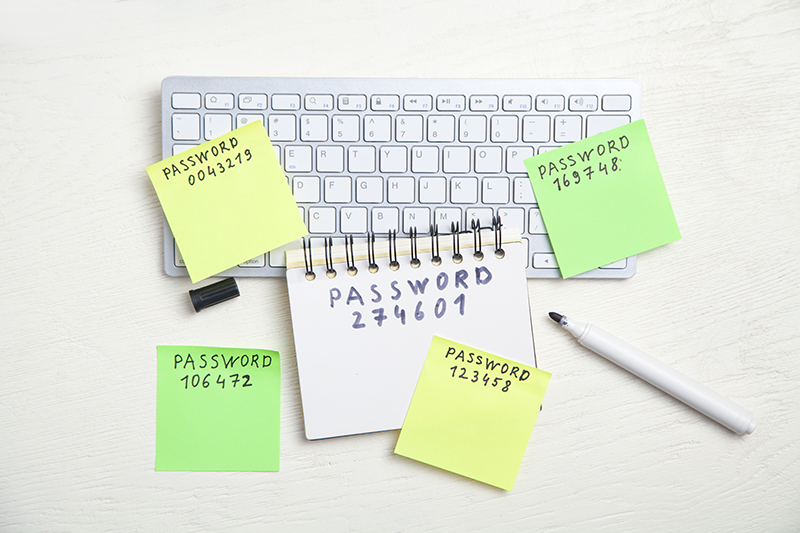
Various passwords written on sticky notes and a notebook on top of a keyboard

In this digital age, there are endless online personal accounts: online banking, email, social media, food delivery apps, applications to jobs, ticket-purchase sites… the list goes on. And they are all protected by a username and password.

Gone are the days when passwords like “Rover-is-my-dog” or “french-fries&ketchup” were sufficiently secure. Any password with a recognizable word or pattern is risky, especially if they are short or reused. Choosing good passwords and keeping them safe and private is key.

Let’s get into it.

How can I save passwords securely?

It can be overwhelming to come up with unique passwords for each account and keep track of them all. It becomes tempting to have simple, short passwords so that they’re easy to remember, and to use the same password for multiple accounts.

That isn’t secure. Unique, random passwords are where it’s at!

“But how do I remember them all?”

The easy yet foolproof answer is password managers.

Password managers, or vaults, are one of the most secure and recommended methods to store passwords, when protected with a master password. Everything is encrypted and protected by your login credentials, and not easily accessible by anyone but you.

Password managers are also good for generating unique passwords. People often create passwords based on personal references or reuse elements, which weakens security. A password manager helps centralize everything instead of having passwords spread across files or locations.

Secure password sharing is also possible with a password manager. If login credentials need to be accessed by multiple people, a vault allows you to share them safely.

Bitwarden and Proton Pass are examples of password managers. Some plans cost money, but lots of these platforms have free plans.

Common mistakes made with passwords

Avoid common mistakes:

  • Do not share passwords over Teams, email, or social media. These are considered insecure sharing channels due to lack of protection by encryption.
  • Do not use passwords that relate to you: e.g., name, birthday, common references. These make guessing easier. Always include uppercase, lowercase, numbers, and symbols.
  • Do not use short passwords. Always do more than the bare minimum length (e.g., use more than 8 characters).
  • Do not treat passwords for “less important” accounts lightly. Regardless of how sensitive an account seems, always create strong passwords. Even accounts with zero sensitive data can be misused if breached.
  • Do not reuse passwords across sites. If an attacker gains access to one account, they often try variations of the same password elsewhere.
  • Do not skip multifactor authentication (MFA). MFA often stops attackers even if they have your password, but many people still don’t use it. Read more about MFA here.

Common fraud involving passwords

Here are some common ways cyber-attackers might try to access your login credentials:

  • Brute force attempts: Attackers might try hundreds of common patterns, such as birthdays or names, to guess your password. Longer, more complex passwords make guessing nearly impossible.
  • Phishing through email: The most common form of password-related fraud. Attackers send emails pretending to be legitimate services and trick people into entering their credentials. Read about how to recognize phishing emails here.

What is the bare minimum for password security?

Please always:

  • Create passwords that are at least 12 characters that include uppercase, lowercase, numbers, and symbols.
  • Avoid using real or predictable words, even with character substitutions (e.g., Hell0!).
  • Use a vault to generate random passwords and to save them securely.
  • Create a unique password for all accounts. Do not use the same password for everything!

Cambrian’s Cybersecurity Centre

Stay updated and keep yourself educated about cybersecurity! Visit our Cybersecurity Centre to read about the latest scams and how to stay safe online.

Today’s Rates

*All rates and yields subject to change without notice.
No items found.

Want to Discuss with an Advisor?

We would be happy to discuss your unique situation with you.
Our goal is to make complex topics like this one, simple.

“I had a wonderful experience at Cambrian. I've been with the same institution for the last 21 years and all the fees and restrictions have finally pushed me into wanting to make some changes.

My advisor was prepared for my arrival with all the documents ready and waiting. He took the time to go over each one...”

Read full client story
Stephan

on his experience with Cambrian

five stars
4.9

Need a loan Buying a Home?
Check out these Resources

Check out these Resources